The view that organizes the shift
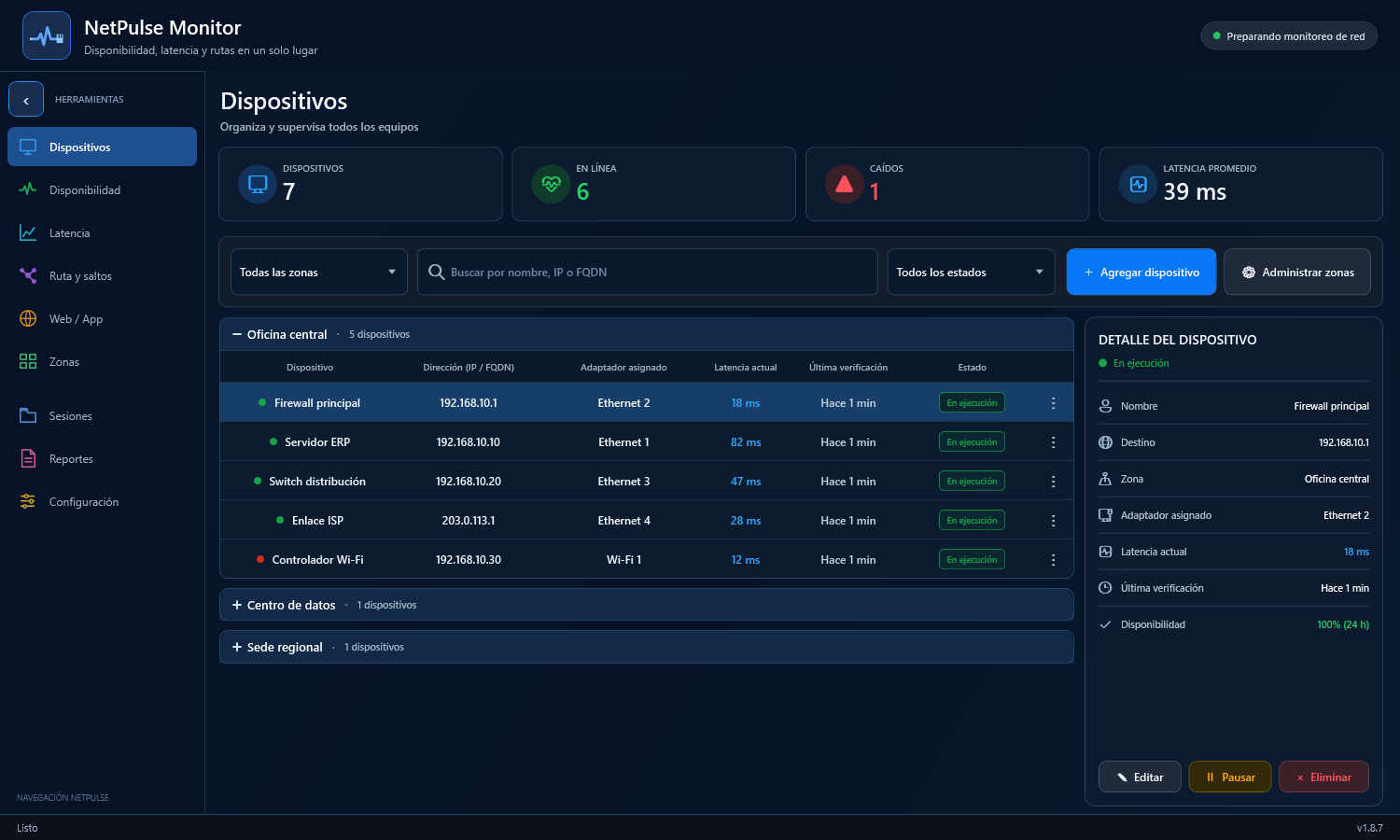
Every device, its zone and its current signal.
Filter, search and open details while keeping online devices, outages and response time in view.
Coming soon · Windows desktop · Local-first
A desktop workspace for fast network diagnostics from your Windows laptop. Explore the interface while we prepare the software for release.
Real application screenshotA command center, not another table
NetPulse brings together network state, behavior over time and each connection path so every diagnosis has context.
The view that organizes the shift
Filter, search and open details while keeping online devices, outages and response time in view.
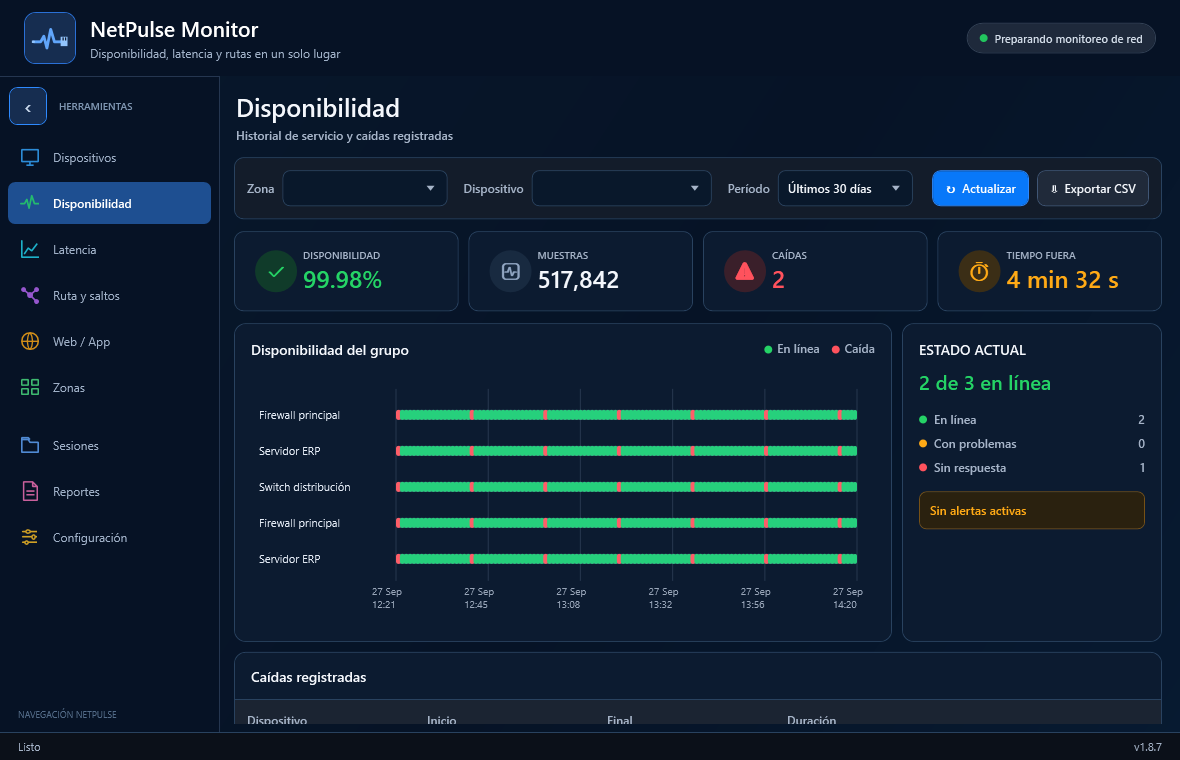
Change matters
Contrast devices by zone and recognize when a pattern begins.
Follow the path
Inspect the route hop by hop and focus on the point that deserves investigation.
Visual tour · version 1.8.7
Explore real screenshots from interface version 1.8.7 using demonstration data. The final release may differ.
Enterprise field diagnostics
Designed for technicians who need a local diagnostic workspace on a Windows laptop at a branch office, server room or authorized client network, without provisioning a vendor cloud tenant.
Local by design
Monitoring history is stored locally. No online activation, usage telemetry or automatic error uploads were identified in the reviewed 1.8.9 r2 source; final-release verification is still pending.
History is stored in local SQLite and in files you choose to create or export.
NetPulse sends the ICMP, TCP, route and HTTP(S) requests needed for the checks you configure.
The reviewed source did not reveal a mechanism that uploads the local monitoring dataset to a vendor cloud.
The reviewed diagnostic features do not require uploading unrelated documents, email or browser history.
The reviewed Bridge starts with the desktop app and can share monitoring data with authorized paired devices. Review access and exposure.
Coming soon
NetPulse Monitor will be available soon. This is a promotional preview: purchases, preorders and software downloads are not open. We have not announced a release date.
Contact NetPulse Labs